
Publirreportaje

July 10, 2026

The Website Permissions You Grant Every Day—Often Without Realizing It

A permission request is easy to dismiss. A small prompt appears, you click to make it disappear, and the page loads. That single click, repeated across the sites you open each week, is how your browser quietly builds a list of what websites can reach on your device.

Get Total Adblock

Most of the time, the requests are reasonable. A site needs access to do the thing you asked it to do. The gap opens later, when access you granted for a one-time task stays active long after the task is done. This article covers what website permissions actually govern, why an occasional review is worth the effort, which other privacy settings deserve a look, and where an ad-blocking extension fits into the wider picture.

What Are Website Permissions?

A website permission is a request for access to a specific feature on your device or in your browser. The browser sits in the middle, asking for your approval before a site can use the feature.

The requests tend to fall into a handful of familiar types. Location helps mapping and store-finder pages return nearby results. Camera and microphone are required by video calls and voice tools to work at all. Notifications let a site push alerts to your screen even after you close its tab. Clipboard access allows a page to read or write copied text, and file access lets a site handle uploads or downloads during a task.

Each request exists to add convenience or enable a feature. The distinction that matters is intent: permissions are most useful when you grant them on purpose, for a site that clearly needs them, rather than by reflex.

Why It's Good to Review Permissions Regularly

Approving a request takes a second. Remembering the approval takes attention most people never spend. That imbalance is the whole problem. Over months of ordinary browsing, grants pile up until the list no longer matches how you actually use the web.

Picture a site you opened once to watch a single broadcast. It may still hold permission to send notifications, long after the event ended and you stopped visiting. Repeat that across dozens of one-time visits, and your browser carries a backlog of access tied to nothing you use.

Every major browser groups these controls in a dedicated settings page, where permissions can be reviewed and removed site by site. Clearing access for pages you no longer visit keeps the browser organized and cuts down on interruptions. A few minutes spent here now and then is straightforward digital housekeeping, and it keeps your setup aligned with your current habits rather than old ones.
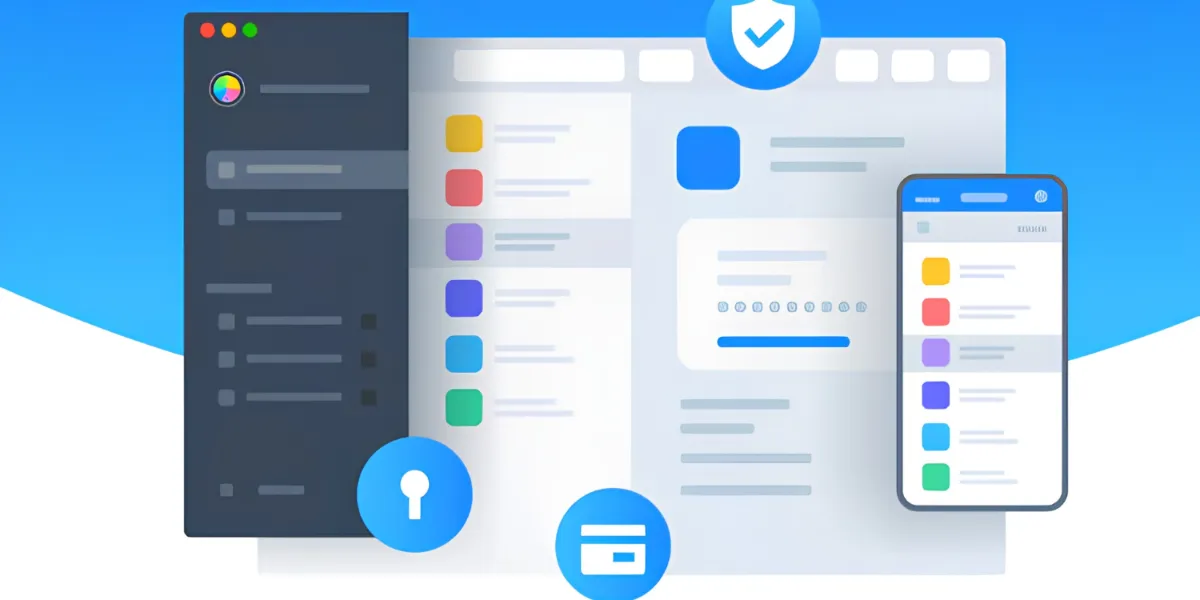
Cleaner browsing experience

Other Privacy Settings Worth Exploring

Permissions are one control among several. Your browser stores other kinds of information that shape how it interacts with the sites you visit, and each is worth understanding.

Cookies keep you signed in and remember site preferences. Saved passwords and autofill data speed up logins and forms. Stored website data and site-specific settings hold smaller details between visits. Reviewing these options clarifies what your browser remembers and gives you room to adjust it, whether that means clearing old data or tightening a setting you had forgotten.

Keeping the browser itself updated belongs in the same routine. Each release tends to refine privacy handling, improve compatibility, and address known issues, so staying current is a low-effort way to benefit from ongoing improvements.

How Browser Extensions Can Complement Built-In Privacy Features

Managing permissions and stored data handles what your browser keeps and allows. It does less about what loads on the page while you browse. Advertising banners, pop-ups, autoplay media, and web trackers frequently arrive alongside the content you came for, and in volume they crowd the page and pull at your attention.

A browser extension works on this layer, on top of the controls the browser already provides. An ad blocker is a common choice: its main function is to reduce intrusive ads, and many also limit a portion of the web trackers tied to advertising networks. Because certain elements never load, pages tend to read more cleanly, and less of your activity is passed to those networks.

The role is worth stating precisely. An ad blocker is not antivirus software, and it is not a complete browser security solution. It manages advertising clutter and tracking, while your permission settings and habits cover the rest.

Why Many People Use the Total Adblock Browser Extension

For anyone looking to reduce on-page clutter, the Total Adblock Browser Extension is one option to consider. It is designed to block intrusive ads, limit many web trackers, and produce cleaner pages across the sites it supports.

In everyday use, the benefit usually appears as readability. With fewer elements competing for attention, articles, shopping pages, and research feel easier to scan and move through. That practical difference is much of the reason people install it.

The boundaries are worth stating plainly. The Total Adblock Browser Extension is not antivirus software and does not provide complete cybersecurity protection. Its purpose is narrower: supporting online privacy and improving browsing comfort through ad and tracker management. Used alongside thoughtful permission management and regular browser maintenance, it fits into a routine rather than replacing any part of it.

Total Adblock: Free vs Premium

A cleaner browser starts with the free tier. Premium extends the same idea across the major sites and adds tracker protection.

What you get Free $0 Most complete Premium ~$19 first year
Basic ad blocking (lesser-known sites)✓✓
Ad blocking on major sites (YouTube, Facebook, etc.)✗✓
Video-ad blocking✗✓
Blocks unwanted browser notifications & pop-ups✗✓
Tracker / privacy protection✗✓
Bundled TotalAV antivirus subscription✗✓
Priority support✗✓
Typical price (US, promotional) Free $0 ~$19 first year, then renews ~$99/year
7-day free trial

Prices shown are indicative introductory figures for the United States and may vary by region and promotion; the renewal price applies after the first year. Always confirm the current price and terms on the official Total Adblock website before purchasing. This page may earn a commission from purchases made through its links.

Why it helps

What a permission-aware browser gains from Total Adblock

Managing permissions decides what a site can reach. An ad blocker works on what actually loads on the page — the two fit together.

Fewer intrusive ads

It focuses on removing banners, pop-ups, and autoplay clips, so the page you asked for is closer to the page you actually see.

Less tracking in the background

Many trackers tied to advertising networks never load, so less of your everyday activity is passed along to them.

Calmer, more readable pages

With fewer elements competing for attention, articles, shopping pages, and research feel easier to scan and move through.

Fewer permission prompts to dismiss

Blocking notification and pop-up requests means fewer reflex clicks — the very clicks that quietly hand out access over time.

Lighter, quicker page loads

Skipping heavy ad resources can trim memory use and help supported pages settle sooner as you browse.

A complement to your settings

It works on top of your browser's own permission and privacy controls — an addition to your routine, not a replacement for it.

★★★★★ Highly rated by users who wanted a cleaner, calmer browser
★★★★★

"Pages load with far less clutter now. News sites in particular feel readable again, and I'm not fighting pop-ups the whole time."

Pedro G.
★★★★★

"It quietly cut down the pop-ups and notification prompts I used to dismiss all day."

Clara V.
★★★★★

"Setup took a minute and the difference on busy pages was obvious right away."

Manuel S.
★★★★★

"Fewer ads seem to mean fewer trackers loading too, which is exactly what I hoped for when I paired it with my privacy settings."

Aisha K.
★★★★★

"My laptop feels a little lighter when I browse. Less noise, less heat."

Tomas L.
★★★★★

"A simple addition that pairs well with the privacy controls I already use."

Nadia P.

From install to a tidier browser

01

Add the extension

Use the install button to add Total Adblock from the official Chrome Web Store.

02

Open your permission settings

Visit your browser's site-permissions page to see what each site can currently access.

03

Review site by site

Remove location, camera, mic, or notification access for pages you no longer visit.

04

Check cookies & autofill

Glance at saved passwords, cookies, and stored data, and clear anything you no longer need.

05

Keep the browser updated

Install updates as they arrive so privacy handling and fixes stay current.

06

Enjoy cleaner browsing

With clutter reduced and access tidied, day-to-day browsing stays closer to what you want.

Voices from everyday browsers

“
Reviewing my permissions took ten minutes and cleared a backlog of access I'd completely forgotten about.
Julia R., Seville
“
The extension handles the on-page clutter while my settings handle the rest. They work well together.
Marek D., Prague
“
I like that it's honest about what it does — ad and tracker clutter, not full security.
Helena F., Vienna
“
Fewer notification prompts alone made the daily browsing feel noticeably calmer.
Owen B., Manchester
“
A quick permissions review plus this extension became my little monthly housekeeping habit.
Sofia N., Lisbon
“
Cleaner pages, fewer distractions, and nothing I have to constantly manage.
Daniel K., Warsaw

Website permissions & ad blocking, answered

What exactly is a website permission?

A website permission is your approval for a site to use a specific feature — location, camera, microphone, notifications, clipboard, or file access. The browser sits in the middle and asks before a site can use it.

Why should I review permissions regularly?

Grants pile up over months of ordinary browsing. A quick review lets you remove access for sites you no longer visit, keeping the browser aligned with how you actually use the web rather than old, one-time tasks.

Does an ad blocker replace my privacy settings?

No. An ad blocker works on what loads on the page. It complements your permission and privacy controls rather than replacing them, so both still matter.

Is Total Adblock a full security solution?

No. It is not antivirus and not a complete security solution. Its role is narrower: reducing intrusive ads and limiting many advertising trackers to make supported pages read more cleanly.

What does Total Adblock actually block?

It targets intrusive banners, pop-ups, video ads, and many trackers tied to ad networks. Because certain elements never load, supported pages tend to look and feel less crowded.

Where do I find my permission controls?

Every major browser groups these controls on a dedicated site-permissions page, where you can review and remove access site by site in a few minutes.

Is there a free version of Total Adblock?

Yes. The free tier covers basic ad blocking on lesser-known sites. Premium adds blocking on major sites, video-ad blocking, tracker protection, and more, with a 7-day free trial.

Enjoy More Control Over Your Browsing

Reviewing website permissions is a clear first step toward a tidier online experience, and it removes access that no longer serves you. Pair it with a look at cookies, passwords, and autofill, keep your browser updated, and the everyday experience stays closer to what you want it to be. If you would like to reduce intrusive ads, limit many web trackers, and browse with fewer distractions, the Total Adblock Browser Extension may be a practical addition to your browser.

Get Total Adblock

This page is a paid advertorial brought to you by trelvexor.com. It is intended for promotional purposes only and should not be considered independent journalism, editorial content, or consumer advice. The content has been created or curated by the advertiser and may include affiliate links. We may receive compensation if you choose to purchase a featured product or service via the links provided. Please refer to our Advertising Disclaimer and Privacy Policy for more information.